5 min read
Askora: an AI workstation that runs from a USB drive
Chat, web search, image and video generation, an in-browser video editor, a medical report reader and a 3D anatomy atlas, all running offline from one portable folder on a 4 GB laptop GPU.
Most AI tools assume you have fast internet, a cloud account and a credit card. I wanted the opposite: one folder you can copy onto a USB drive, plug into a Windows, Mac or Linux machine, and get a full AI workstation with no installation and no internet required.
That's Askora. It started from USB-Uncensored-LLM, an open-source project by techjarves that packages a portable Python, a local model engine and a simple chat page into a drive you can carry around. That base solved portability. I built Askora on top of it as a complete workspace: search, image and video generation, a video editor, and two education tools for medicine and anatomy.
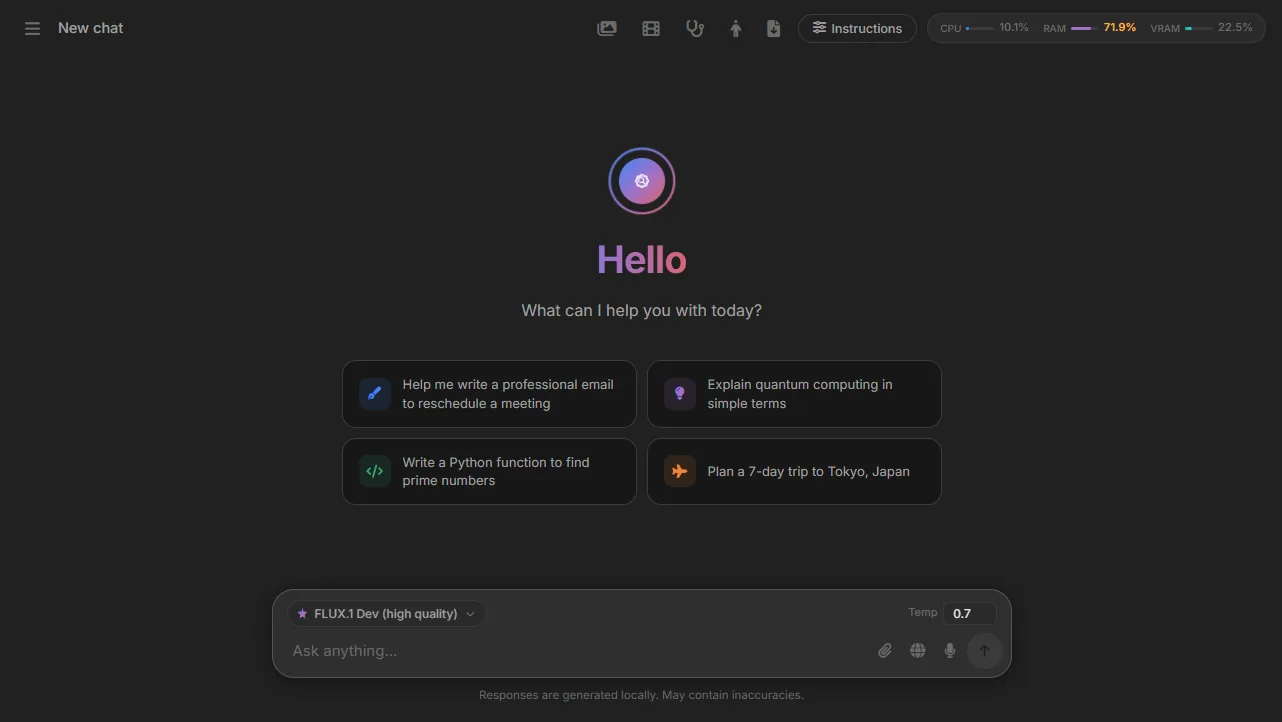 The home screen. Live CPU, RAM and VRAM meters sit top right, because on a small laptop you always want to know what the model is costing you.
How the portable part works
The drive has one folder per operating system and a single shared folder for everything heavy:
USB drive
├── Windows / Mac / Linux / Android   launchers and installers
└── Shared
    ├── bin        model engines for each OS
    ├── models     GGUF model weights, downloaded once
    ├── python     a self-contained Python, no system install
    └── chat_data  conversation history
Model weights are several gigabytes each, so they're stored once and used by every operating system. A small Python server serves the interface on port 3333, so a phone on the same Wi-Fi can use the AI running on the laptop.
One model menu, local and cloud
Askora's model picker groups everything into Chat, Offline, Medical, Code, Image and Video. On my machine that's about 70 options: 16 local models, from a 1B Llama to 8B models, plus optional cloud providers (OpenRouter, Groq, DeepSeek, Cerebras, Google Gemini and NVIDIA NIM) for when you're online and want something bigger.
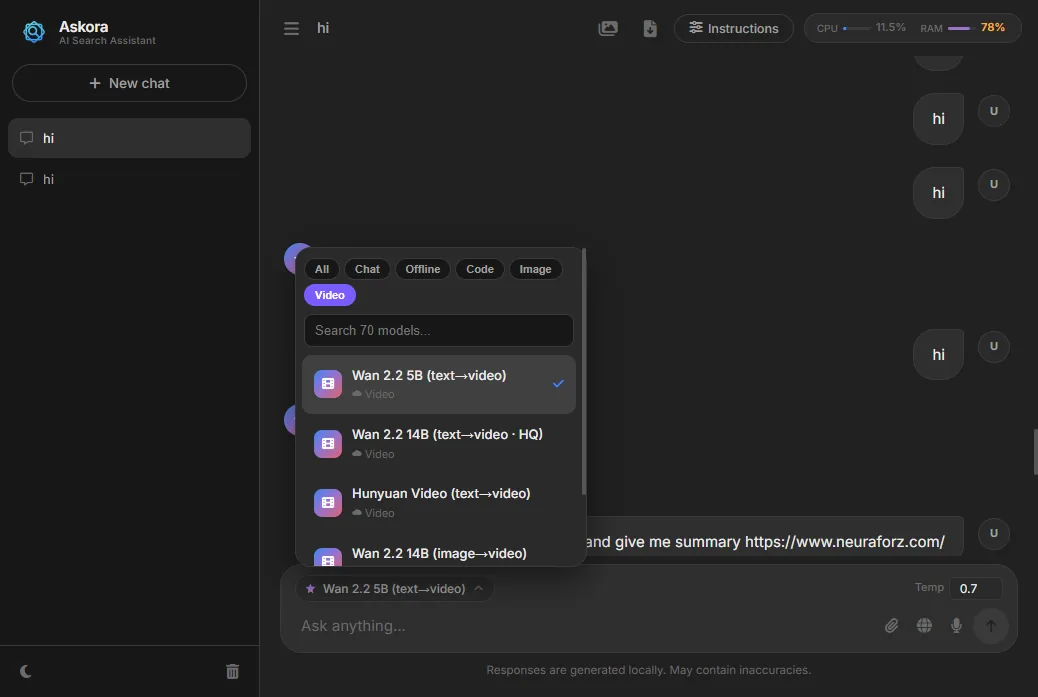 The model picker. Local models are marked Offline; cloud ones only appear when a key is configured.
Chat can also:
- Search the web. It queries DuckDuckGo, fetches the top three pages in parallel, extracts the readable text, and answers from it.
- Read a link. Paste a URL and ask for a summary.
- Take voice input, attach images or PDFs, and export a conversation as Markdown.
Images and video on a 4 GB GPU
My development laptop has a GTX 1650 with 4 GB of VRAM, so every feature had to work inside that limit.
- Images: local Stable Diffusion through a lightweight standalone engine (Vulkan or CPU builds) with SD 1.5 checkpoints such as Realistic Vision and DreamShaper. When online, FLUX through NVIDIA's API or Pollinations' free endpoint are available too.
- Video: a local engine runs AnimateDiff on the same SD 1.5 checkpoints. To fit in 4 GB it offloads model layers to system RAM and processes the image decoder in slices. Cloud text-to-video and image-to-video models (Wan 2.2, HunyuanVideo, LTX-2) are wired in for when credit is available.
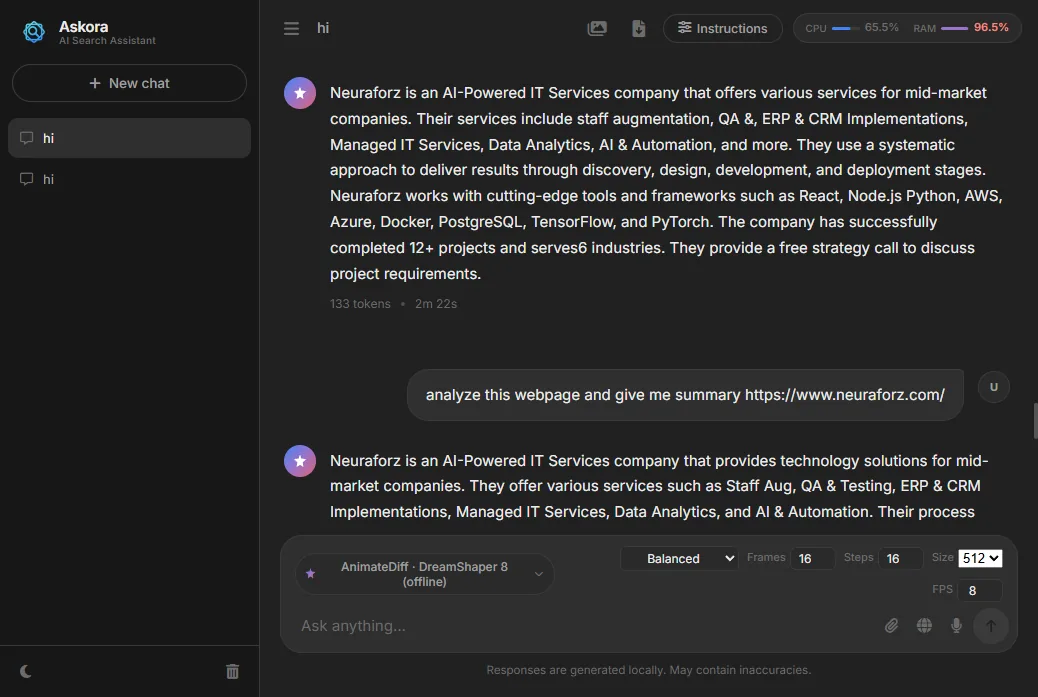 Picking a video model swaps the temperature control for video settings: Fast, Balanced or Quality presets, or custom frames, steps, size and frame rate.
A video editor that runs in the browser, offline
A generated clip usually needs trimming, so Askora includes a small non-linear video editor. It runs entirely in the browser using FFmpeg compiled to WebAssembly, bundled with the app (about 31 MB) so it works offline.
The multithreaded FFmpeg build needs SharedArrayBuffer, which browsers only allow on pages served with special isolation headers (COOP and COEP). The editor therefore runs on its own route with those headers, leaving the main app unaffected.
It supports a multi-track timeline, trim, split, drag-to-reorder, per-clip colour adjustments, looks like Vintage and B&W, fades, text overlays and MP4 export. A scissors button on any generated clip opens it in the editor.
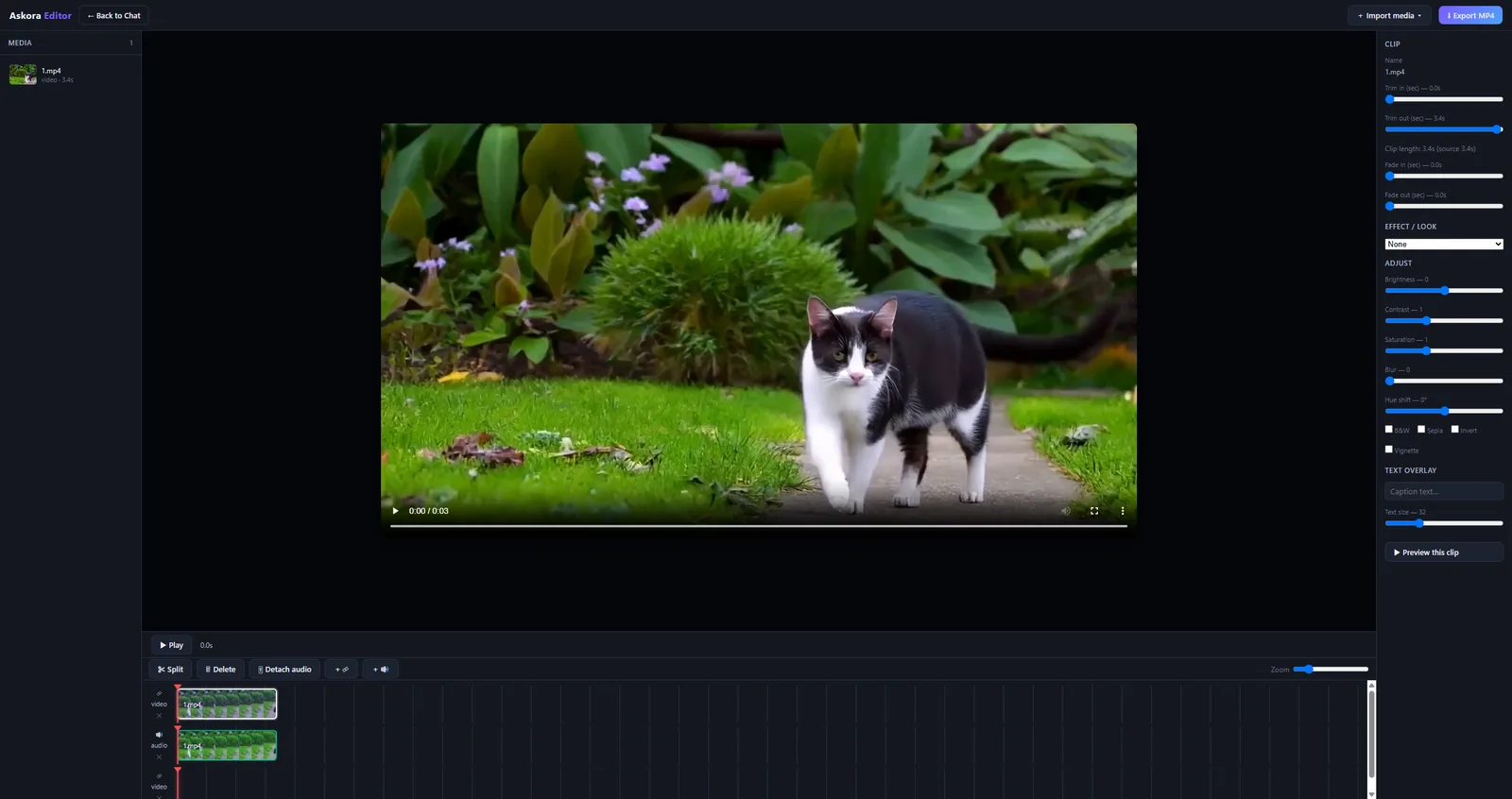 The editor with an AI-generated clip on a video and an audio track.
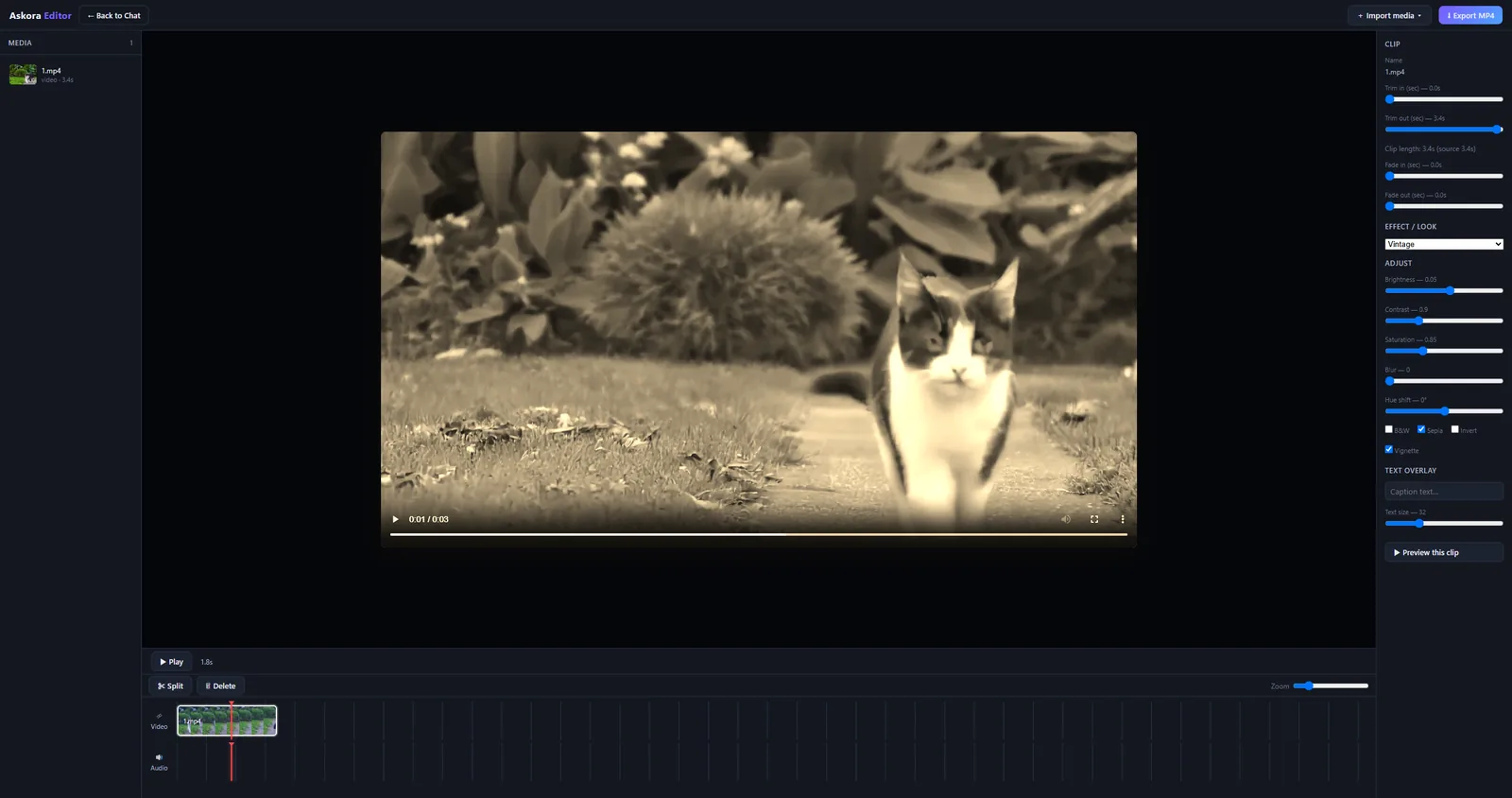 The same clip with the Vintage look. Every adjustment is applied in FFmpeg on export, not just in the preview.
Reading lab reports, offline
The medical section explains lab reports in plain language. You photograph or upload a report, and Askora reads it with EasyOCR running locally on the GPU (PDFs go through PyMuPDF). Six local medical models are available, including Meditron, Med42, OpenBioLLM, BioMistral and MedGemma.
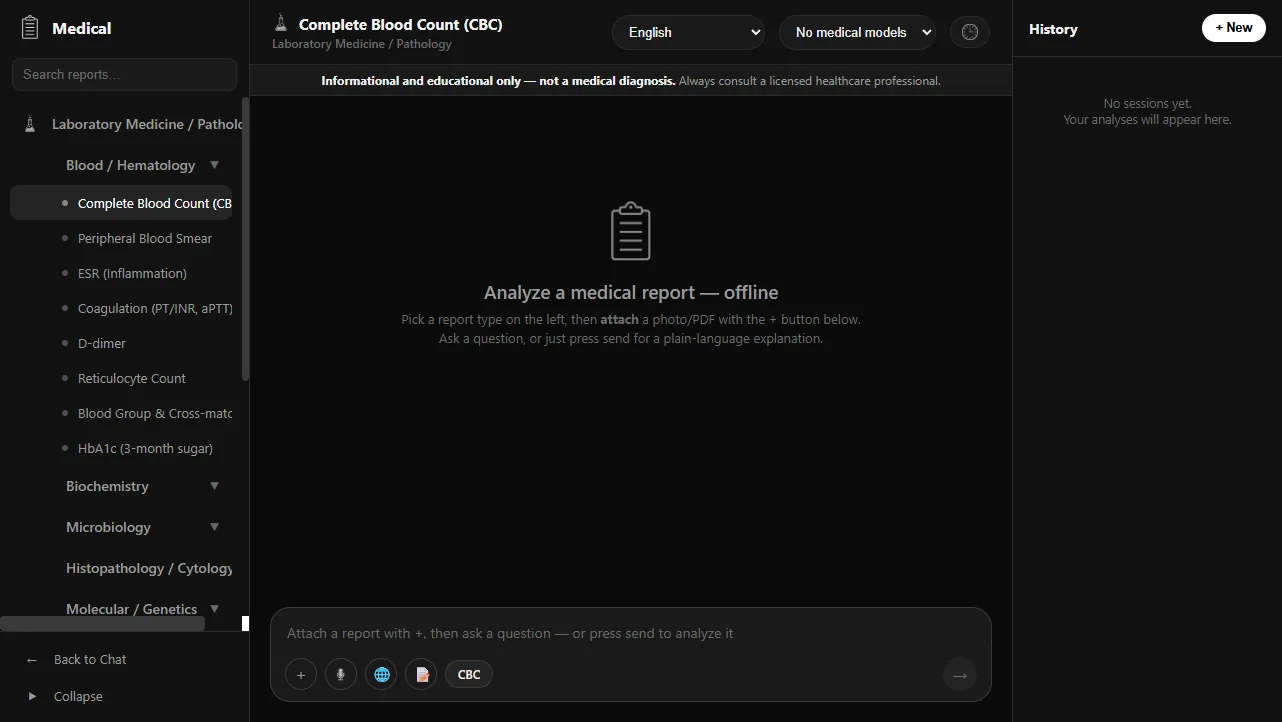 Reports are organised by specialty and test. The page states plainly that it's informational and not a diagnosis.
The most important design decision here came from a failure. I first asked small language models to turn the OCR text into a clean results table. Tested on real photographed lab reports, they made up reference ranges and merged rows, so a normal value could look abnormal. That's a safety problem, and bigger models only hallucinated more confidently.
So the table is no longer built by a model. Askora builds it deterministically: known tests are matched in code, standard reference ranges come from a fixed table, and high/low status is computed, not generated. Before anything is analysed, you review an editable table and the patient details, and you can export them to Excel. The .xlsx file is written by a small built-in ZIP writer, so it needs no library and no internet.
Use the language model to explain the numbers, never to produce them.
A 3D anatomy atlas with a study assistant
The anatomy explorer is a full 3D atlas built with three.js on the open Z-Anatomy models (CC BY-SA). I prepared the models in Blender as 12 body-system layers, about 724 MB, colour-coded by structure: bone ivory, muscle red, arteries red, veins blue, nerves yellow.
You can rotate, isolate a system, cut a section, show wireframes and labels, or focus on an organ inside the body. Clicking any structure selects it, and the Study Agent panel answers questions about it: anatomy, common diseases, blood supply and clinical relevance.
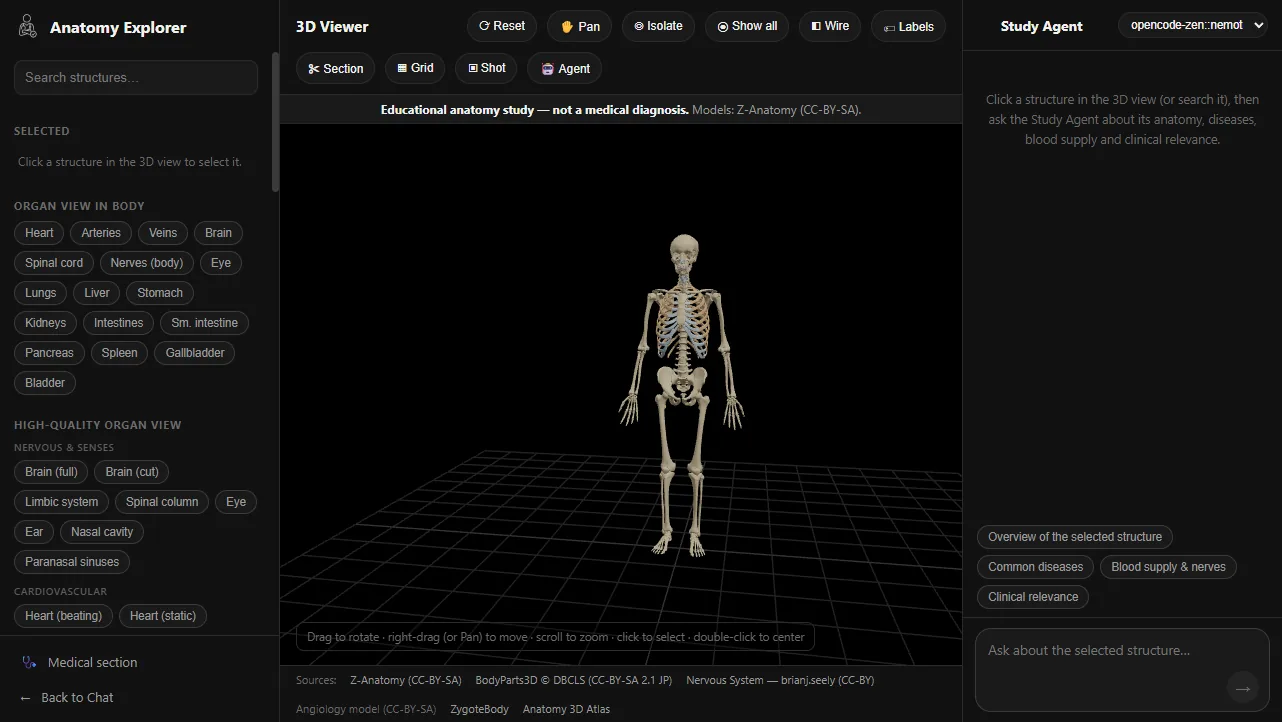 The atlas, with organ shortcuts on the left and the Study Agent on the right.
There's also a high-quality organ view with 20 detailed organ models, some animated, like a beating heart.
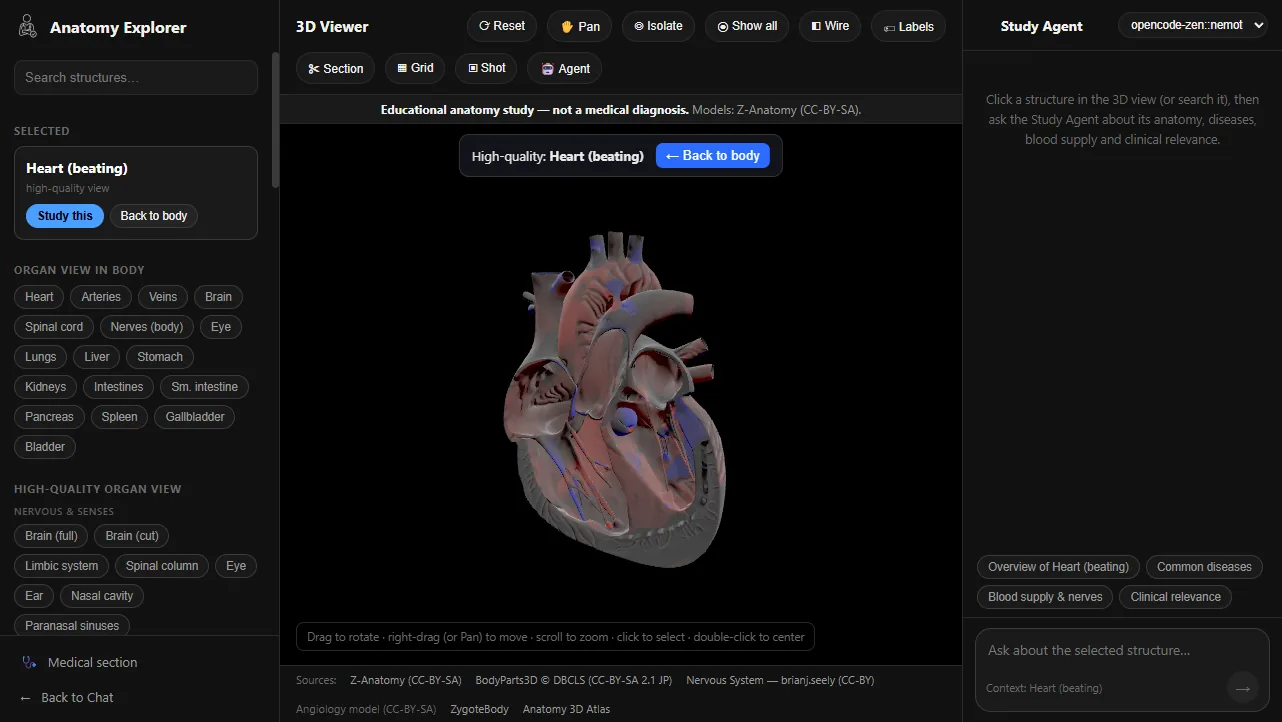 High-quality view of the heart, with the Study Agent ready to explain it.
What I learned
- Constraints make better software. Designing for a 4 GB GPU forced me to be careful with memory everywhere: CPU offload for video, small models by default, and live meters so you can see the cost.
- Know when not to use a model. The most reliable part of the medical tool is the part where I took the AI out.
- Offline is a feature, not a fallback. Students, clinics with poor connectivity, and anyone handling private documents all benefit from AI that never leaves the machine.
If you're building something that needs AI to work offline or on modest hardware, let's talk.